Calling app for iPad: dial real phone numbers without an iPhone
An iPad has no Phone app and no voice plan, even when it has a cellular SIM. Apple's own way of getting a call onto an iPad relays it through your iPhone. Telvio does not: it places the call from the iPad itself, over Wi-Fi or the iPad's own data connection, to any landline or mobile number in 200+ countries.
- No iPhone needed anywhere near it
- Works on a Wi-Fi-only iPad
- Dial pad and history side by side
- From $0.03 a minute
What actually carries the call
This is the difference the rest of this page is about. Apple's route to a phone call on an iPad is a relay with four links in it, and every link is something that can be missing. Telvio's route has two.
Apple's route: iPhone Cellular Calls
- iPad
- same Wi-Fi network
- your iPhone
- your carrier
- the phone you dialled
Needs an iPhone that is switched on, signed in to the same Apple Account, on the same Wi-Fi network and holding an active carrier plan. The call is placed by the iPhone, so your carrier's international rate is the one you pay.
Telvio's route
- iPad
- any internet connection
- the phone you dialled
Needs an internet connection and nothing else. No iPhone, no SIM, no carrier plan, no account. The price is set per destination and shown before you press call.

Why the iPad has no Phone app
Apple has never shipped a Phone app on the iPad, and the omission is deliberate rather than an oversight waiting to be corrected. The iPad's cellular models carry a data plan, not a voice plan: the SIM in a cellular iPad buys it mobile internet, and the carrier does not register it on the voice network the way it registers a phone. There is no voice service for a Phone app to sit on top of.
What Apple provides instead is FaceTime, which reaches other Apple users, and Continuity, which does not place calls at all — it relays them. When you answer a call on an iPad, the call is being handled by your iPhone in the next room and the iPad is acting as a speakerphone for it. Apple documents the requirements plainly: the same Apple Account on both devices, both on the same Wi-Fi network, and an iPhone with an active carrier plan.
That arrangement works well when it works, and it collapses in exactly the situations where a cheap international call matters most. The iPhone is at home and the iPad is not. The iPhone is out of battery. The iPhone is abroad with its SIM removed to avoid roaming. Someone owns an iPad and does not own an iPhone at all — a large group, and one that no amount of Continuity documentation helps.
A cellular iPad still cannot dial a phone number
This is the single most common misunderstanding about the iPad, and it costs people money: a cellular iPad with a working SIM, full signal and an active plan still cannot dial a telephone number by itself. The SIM provides data. Voice calling is a separate service on a separate part of the network, and it is not sold with an iPad plan.
So a cellular SIM changes one thing for Telvio and one thing only: it means you can place a call without being on Wi-Fi. The call still travels as data, at roughly 30 to 40 kilobits per second in each direction, and it still reaches the ordinary telephone network through us rather than through the carrier that issued the SIM. The bill for it appears on the Telvio balance rather than on the mobile account.
A few carriers offer Wi-Fi Calling on iPad, which does place real calls — but only for a number that already belongs to an account with that carrier, and at that carrier's international rates. It is an extension of a phone plan, not a substitute for one.

The iPad build is not the phone layout stretched
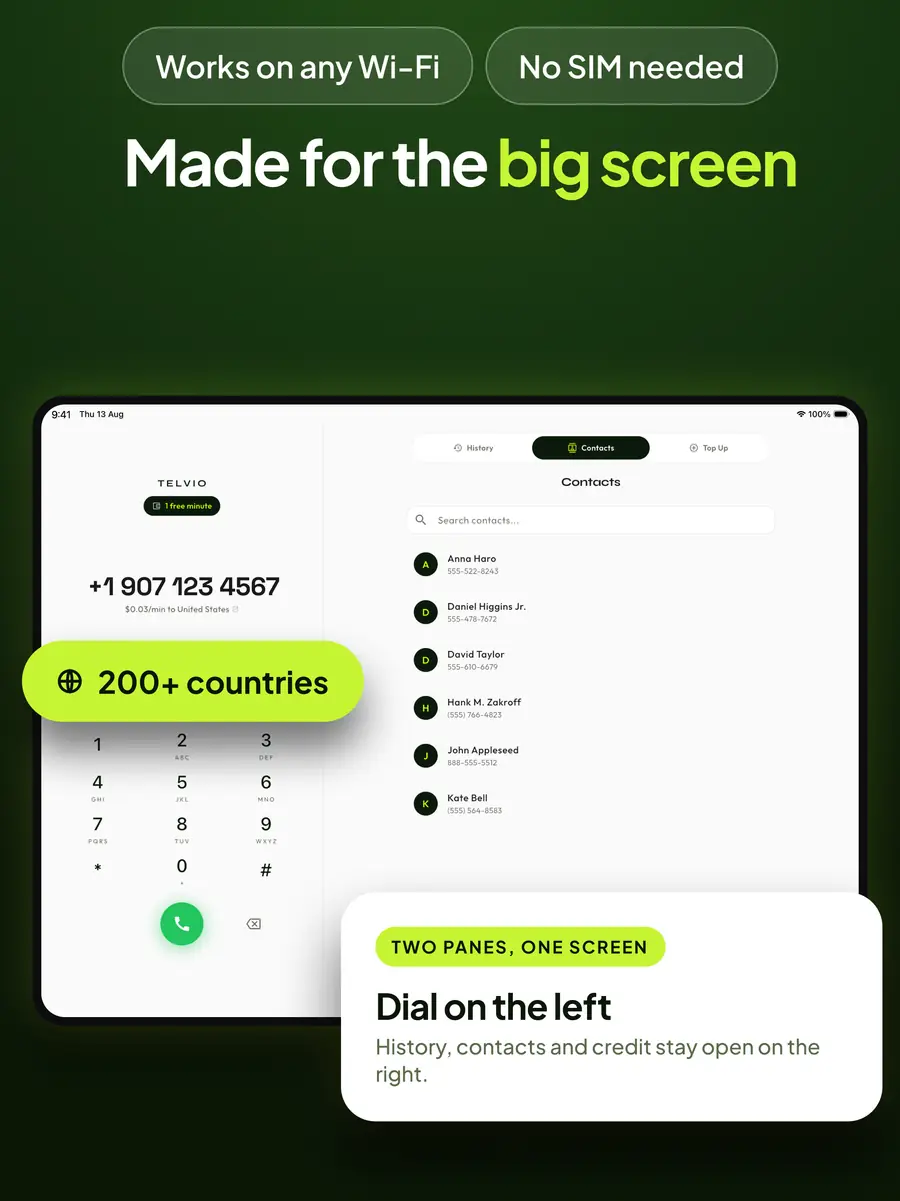
Most calling apps on the iPad are the phone version scaled up: one column of interface floating in the middle of a large screen. Telvio uses the width. The dial pad holds the left column and stays there, while history, contacts and credit occupy the right — so looking up a number does not throw away the number you were typing, and checking a balance does not close the keypad.
That matters more than it sounds on a device people use for other things at the same time. The common iPad calling situation is a call placed while something else is on screen: a booking reference in a browser tab, an invoice with a supplier's number on it, a message thread with the number in it. Numbers copied from any of those paste straight into the dial pad with their spaces, brackets and dashes intact — Telvio strips the formatting itself.
Split View works the way you would expect: Telvio takes half the screen and the page you copied the number from keeps the other half. A call keeps running when the app moves to the background, so switching apps mid-conversation does not drop it.
Audio on an iPad, and why a headset is worth it
An iPad's built-in microphone is a long way from your mouth compared with a phone held to your ear, and the speakers are loud enough to be heard by the microphone. On a short call none of that matters. On a long one it produces the two complaints people report most: the other side asks you to repeat things, and there is a faint echo of their own voice coming back at them.
Anything you already own fixes it. AirPods, a wired headset in the USB-C or headphone port, or a Bluetooth headset all keep the microphone close and the speaker isolated. One caveat that applies to every calling app, not just this one: some Bluetooth headsets switch into a low-quality hands-free mode when an app opens the microphone, and they do it silently. Audio in both directions gets worse and nothing on screen says why.
Our microphone test runs in the browser on the iPad itself, takes about ten seconds, and shows you the input level before you spend a minute discovering the problem on a real call. It is the fastest way to tell a headset problem from a network one.

What a call from an iPad costs
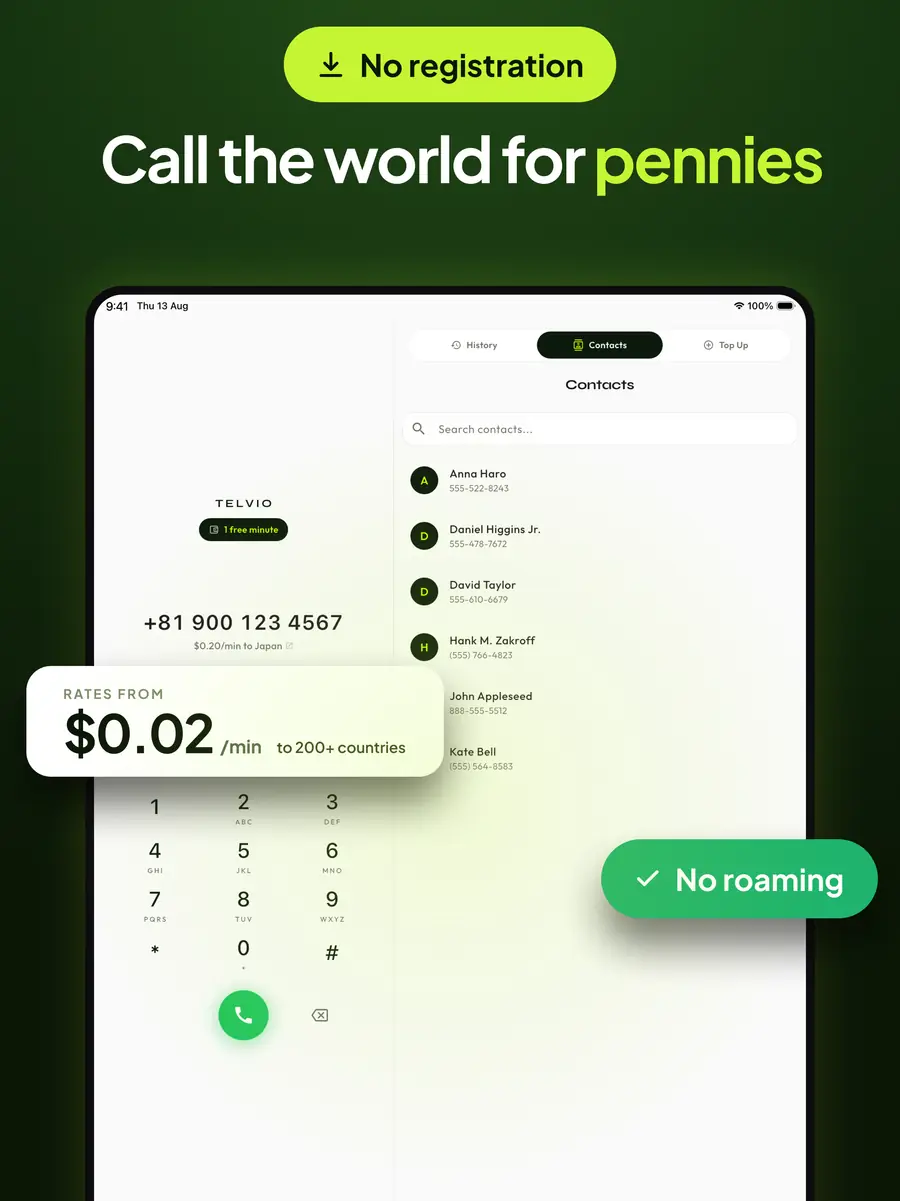
The price depends on the number you dial, not on the device you dial it from. A minute to the United States is $0.07, a minute to India is $0.24, and the cheapest corridors on the sheet are $0.03. The rate appears under the number as you type it, and the full rate sheet is published on this site rather than kept behind an account.
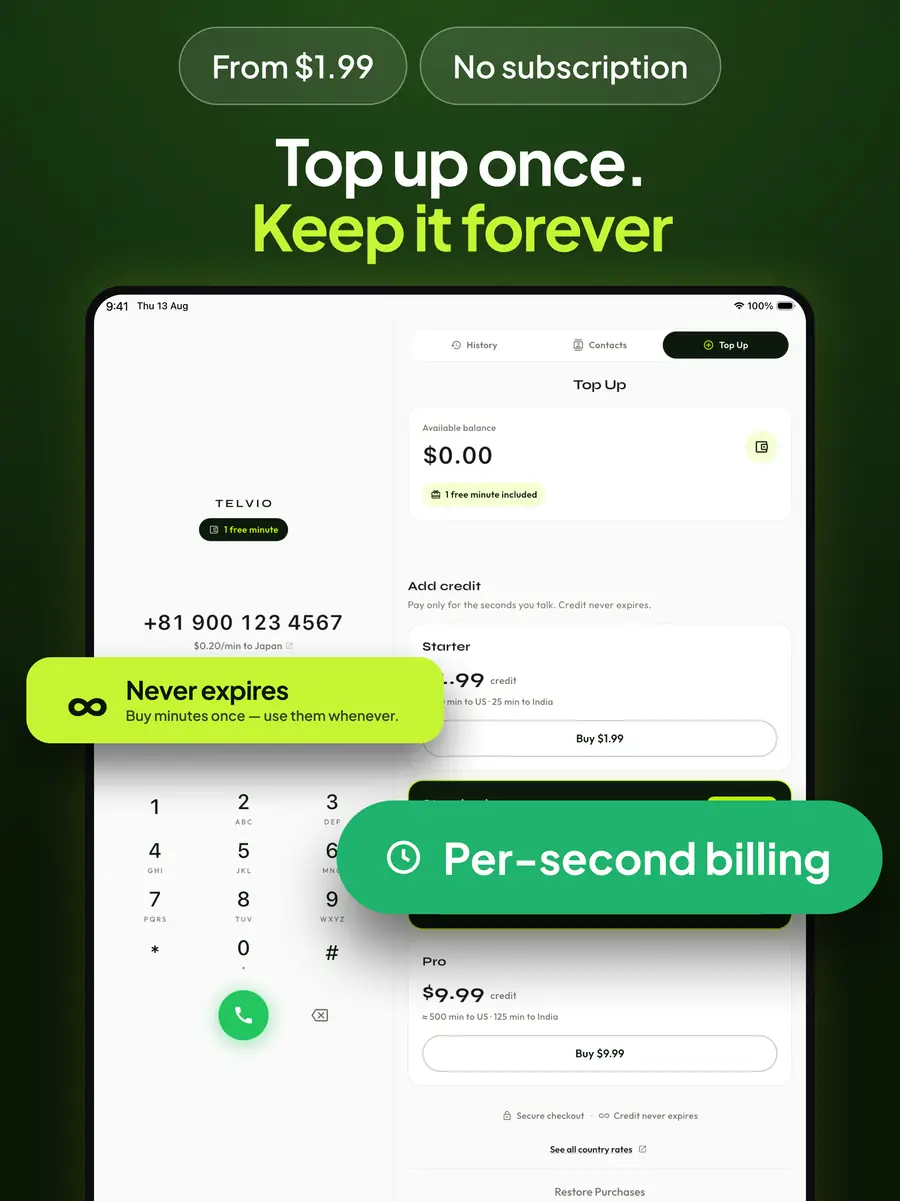
Every install starts with one free minute. Spend it on the corridor you actually care about — call quality is per destination, and a minute to the number you will really be calling tells you more than any review. After that, credit is bought as a one-off in-app purchase, from $1.99, and spent at the per-country rate.
Billing runs by the second from the moment the far end answers, with no connection fee, so a 25-second call costs 25 seconds. Credit does not expire, which matters on a device that is often picked up weeks apart: a balance topped up before a trip is still there after the next one. Purchases are handled entirely by Apple, so no card details reach us, and refunds go through Apple in the same way as any other App Store purchase.
Which iPads it runs on
Telvio requires iPadOS 15.6 or later. Apple's compatibility list for iPadOS 15 covers the iPad Air 2, the iPad mini 4, the fifth-generation iPad and every iPad Pro ever made — hardware going back to 2014.
That is a deliberately low floor. An iPad is often a second-hand or handed-down device, kept for years after a phone would have been replaced, and it is frequently the only screen in a household that is not someone's personal phone. Requiring a recent iPadOS would have excluded exactly the households where a cheap way to call abroad matters most.
The app is a universal purchase across iPhone, iPad and Mac, so it installs on all three from the same App Store entry at no extra cost. Credit balances are held per device rather than in a shared account — a direct consequence of there being no account at all.
Bottom line
An iPad cannot dial a telephone number on its own. It has no Phone app, and a cellular iPad's SIM buys data rather than voice service. Apple's answer — iPhone Cellular Calls — relays the call through an iPhone that has to be switched on, signed in to the same Apple Account, on the same Wi-Fi network and carrying an active plan, and your carrier bills the call.
Telvio removes that chain. The call is placed by the iPad, over Wi-Fi or the iPad's own data, to any landline or mobile number in 200+ countries. No iPhone, no SIM, no plan and no account. The app requires iPadOS 15.6 or later, which covers iPads back to 2014, and downloads in 59 MB.
Rates are per destination and shown before you dial — $0.07 a minute to the United States, $0.24 to India, from $0.03 at the cheapest. The first minute is free, credit does not expire, and the person you call needs nothing at all.
Every way to place a call from an iPad, and what each one needs
The iPad is the only device in Apple's line-up with no Phone app at all. Here is what is left, and what each option can actually reach.
| Reaches any phone number | Needs your iPhone | Who bills you | |
|---|---|---|---|
| FaceTime Audio | No | No | Nobody — but it only reaches Apple users |
| WhatsApp, Signal, Messenger | No | No | Nobody — app users only |
| iPhone Cellular Calls (Continuity) | Yes | Yes | Your mobile carrier |
| Wi-Fi Calling on iPad | Yes | Carrier account required | Your mobile carrier |
| Telvio | Yes | No | Per destination, from $0.03/min |
Does this work on any tablet, or only an iPad?
The problem the iPad has is not an Apple problem — it is a tablet problem. A tablet sold with a cellular SIM almost always carries a data plan rather than a voice plan, so the carrier never registers it on the network that carries telephone calls. On an iPad that shows up as there being no Phone app at all. On an Android tablet it shows up as a dialler that is present but cannot reach an ordinary number, and whether a given model registers for voice varies by manufacturer and by carrier rather than by Android version.
That makes a tablet a better candidate for a calling app than a phone is, not a worse one: the app supplies a capability the hardware was never sold with. Telvio does it on iPad today and on Android tablets through the Play build, at the same per-minute rates, with the same free first minute on each install.
One piece of practical advice that applies to every tablet regardless of make. The microphone sits much further from your mouth than a phone's does, and the speakers are loud enough for that microphone to hear them, which arrives on the other side as a faint echo of the caller's own voice. Any headset you already own removes both problems, and our microphone test confirms in about ten seconds which input the tablet is actually using.
What the app looks like on an iPad
The iPad build is not the phone layout stretched. The dial pad holds the left column and history, contacts and credit stay open on the right.
Telvio for iPad at a glance
| Requires | iPadOS 15.6 |
|---|---|
| Runs on | iPad Air 2, iPad mini 4, iPad (5th generation) and every iPad Pro |
| Current version | 1.1.0 |
| Download size | 59 MB |
| Last updated | 2026-08-19 |
| App languages | 30 |
| Connection | Wi-Fi or the iPad's own cellular data. No voice plan and no SIM required. |
| Price | Free to download. Call credit is an in-app purchase from $1.99, billed by the second. |
| Age rating | 4+ |
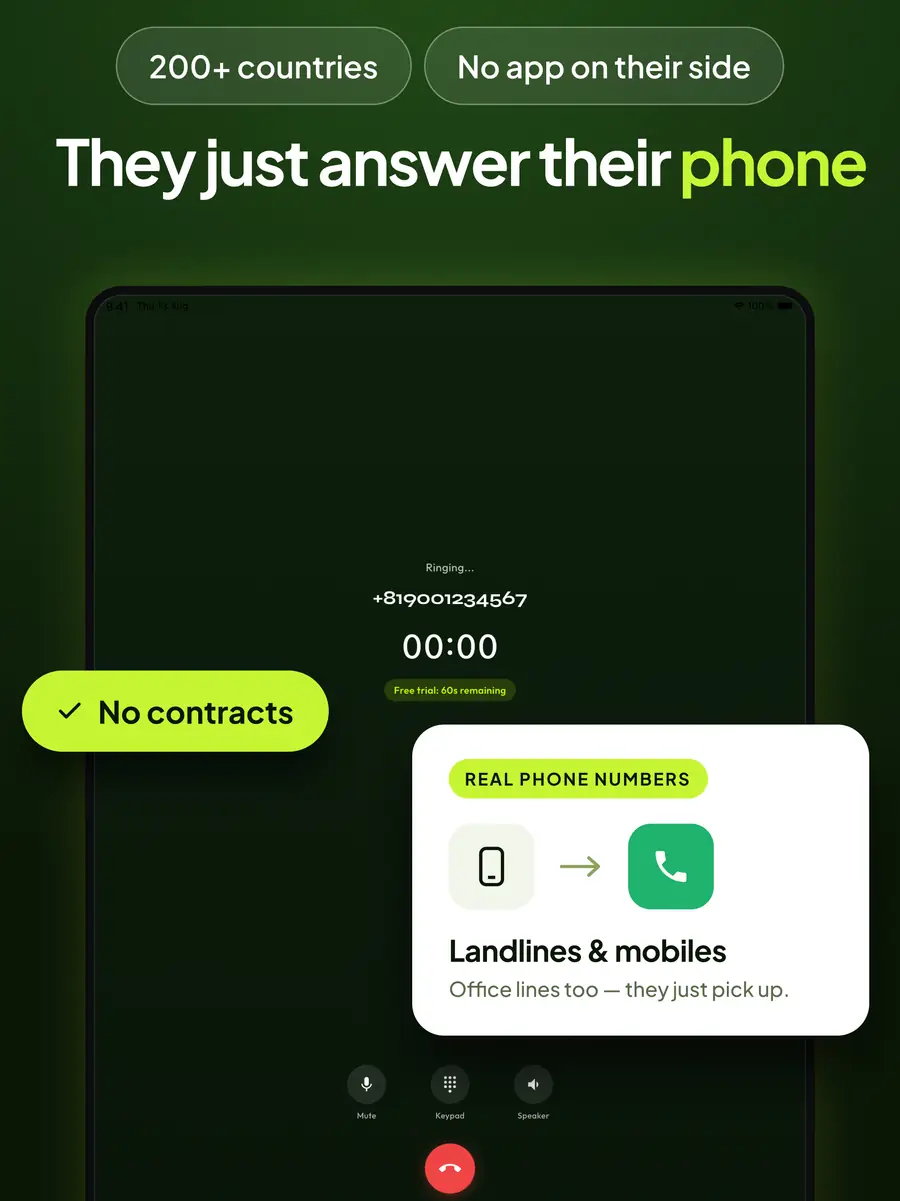
| The person you call needs | Nothing. The call rings their ordinary phone, landline or mobile. |
First call from an iPad
The free minute is on the balance from the moment the app opens, so the first call costs nothing and tells you whether the corridor sounds right.
- 1
Install from the App Store
A 59 MB download. Telvio is a universal purchase, so if you already have it on an iPhone or a Mac it installs on the iPad at no extra cost — and the credit balance is per device, not shared.
- 2
Type the number with its country code
Country code first, and without the destination's leading zero. The rate for the number appears under it as you type, before anything is spent.
- 3
Allow the microphone and call
iPadOS asks once, on the first call. On an iPad the built-in microphone is usually far enough from your mouth that a headset is worth using for a long call — AirPods, a USB-C headset or wired earbuds all work.
Sources
- Make and receive phone calls on Mac, iPad and Apple Vision Pro opens in a new tab — Apple. The documented behaviour of iPhone Cellular Calls: the iPhone places the call and the iPad acts as a handset for it.
- Continuity features and requirements for Apple devices opens in a new tab — Apple. The same Apple Account, the same Wi-Fi network and an iPhone with an active carrier plan — the four conditions in the diagram above.
- iOS 15 and iPadOS 15 are compatible with these devices opens in a new tab — Apple. The iPad models behind the compatibility row in the table.
- International Calls — Telvio on the App Store opens in a new tab — Apple. Version, download size, minimum iPadOS, language count and age rating.
Everything this page says about what an iPad can do without a third-party app is taken from Apple's own support documentation rather than from a summary of it, because that is the claim most often repeated wrongly. Store figures were last verified on 20 August 2026.
iPad questions
Can an iPad make phone calls without an iPhone?
Not on its own — the iPad has no Phone app, and Apple's Continuity feature places the call on your iPhone rather than on the iPad. With a calling app such as Telvio it can: the app dials landlines and mobiles over the iPad's Wi-Fi or cellular data, and no iPhone has to be present, switched on, or owned.
Does a cellular iPad let me call phone numbers?
No. A cellular iPad's SIM provides a data plan, not a voice plan, and carriers do not register an iPad on the voice network. A cellular SIM only means you can place calls through a calling app while away from Wi-Fi; the call still travels as data.
Which iPads can run Telvio?
Telvio requires iPadOS 15.6 or later. Apple's iPadOS 15 compatibility list covers the iPad Air 2, the iPad mini 4, the fifth-generation iPad and every iPad Pro model, which means hardware going back to 2014.
Does the iPad version cost extra if I already have Telvio on my iPhone?
No. Telvio is a universal purchase, so one App Store entry installs it on iPhone, iPad and Mac. Call credit is held per device rather than in a shared account, because there is no account — so credit bought on the phone stays on the phone.
Can I use Telvio on an iPad in Split View while I work?
Yes. Telvio runs in Split View alongside another app, and a call continues when the app moves to the background, so switching apps mid-conversation does not drop it. Numbers copied from a browser or a message paste into the dial pad with their formatting intact.
Do I need a headset to call from an iPad?
Not strictly, but it is worth it on a long call. The iPad's microphone sits much further from your mouth than a phone's, and its speakers are loud enough for the microphone to hear them, which produces a faint echo on the other side. AirPods, wired earbuds or any USB-C headset solve both problems.
Does the person I call need an iPad or the app?
No. The call arrives on the ordinary telephone network as a normal incoming call. The person answering can be on a landline with no internet connection in the building.
Call from the iPad in front of you
No iPhone in the room, no SIM in the tray, no account to create. One free minute to start with.
On a laptop instead? The Mac app dials the same numbers. Mac
