International calling app for iPhone: call any number over Wi-Fi
Telvio is a free iPhone app that places calls to ordinary landline and mobile numbers over your internet connection instead of your carrier's network. Rates start at $0.03 a minute, there is no account to create, and the person you call answers a normal phone.
- No SIM swap and no second number
- Works on any Wi-Fi or mobile data
- One free minute on the first call
- Credit never expires
Calling from an iPhone: four ways, and what each one reaches
The iPhone can place a call five different ways and most of them cannot reach the number you actually want. This is what separates them.
| Reaches any phone number | Works without a SIM | Priced per destination | |
|---|---|---|---|
| The built-in Phone app | Yes | No | Your carrier sets the price |
| FaceTime Audio | No | Yes | Apple users only, free |
| WhatsApp, Signal, Telegram | No | Yes | App users only, free |
| Wi-Fi Calling (carrier feature) | Yes | No | Your carrier sets the price |
| Telvio | Yes | Yes | From $0.03/min, shown before you dial |
What the app looks like on an iPhone
Four screens from the App Store listing, shown here in the same language the store shows them in.
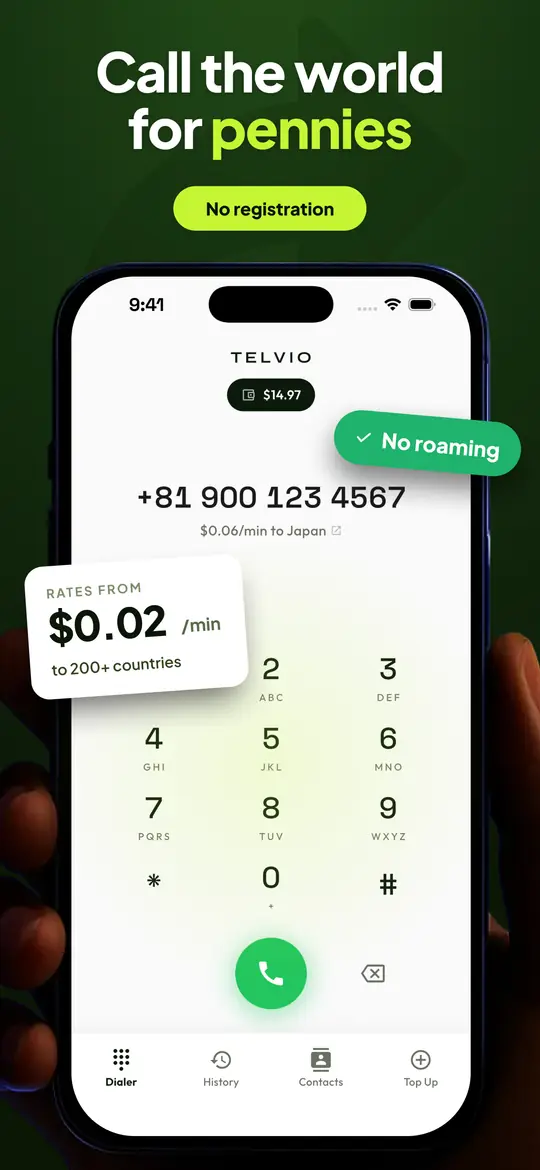
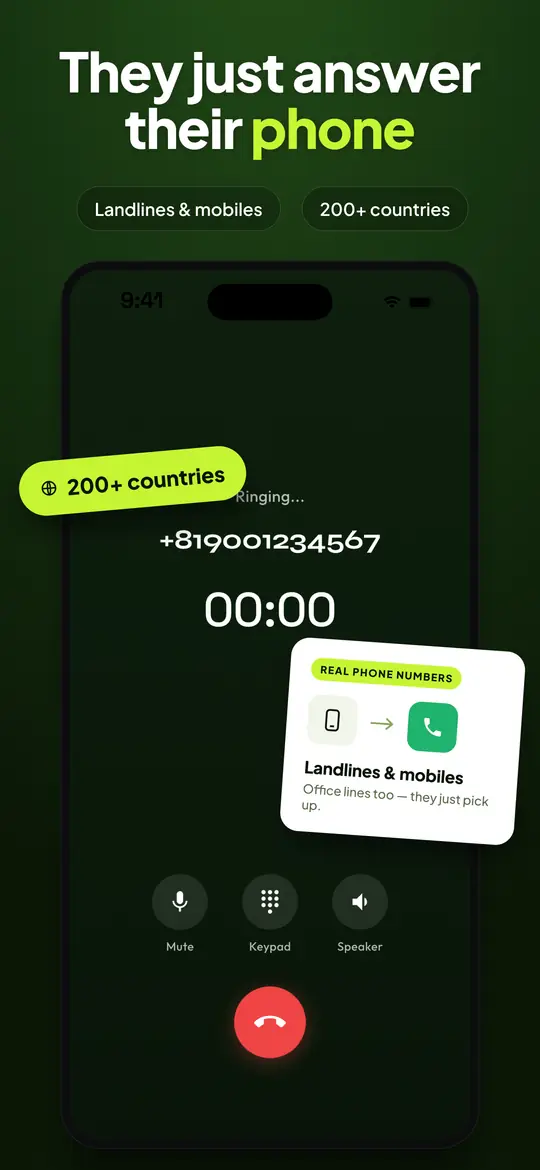
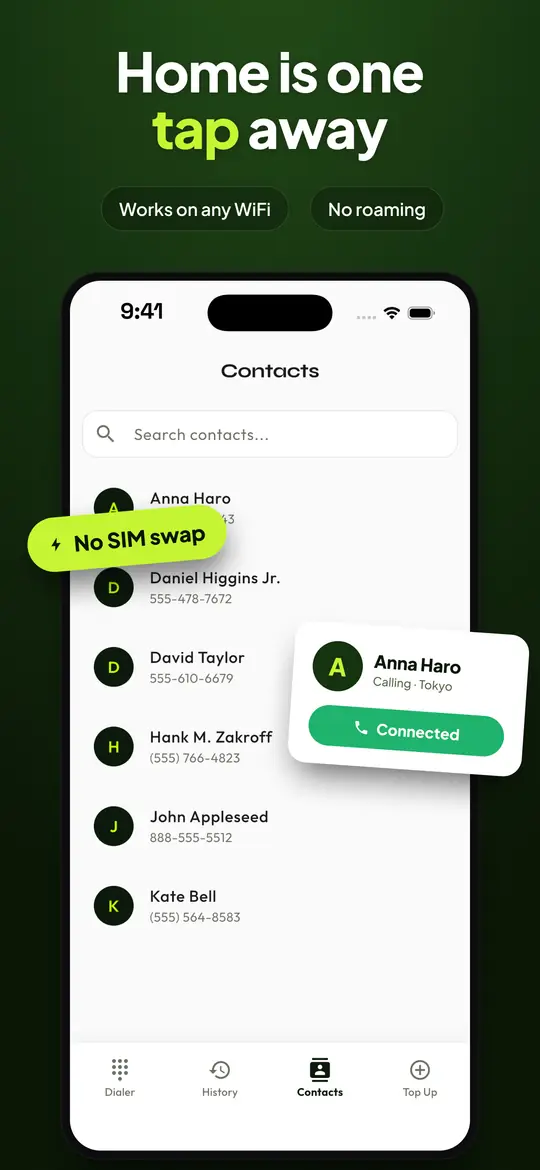
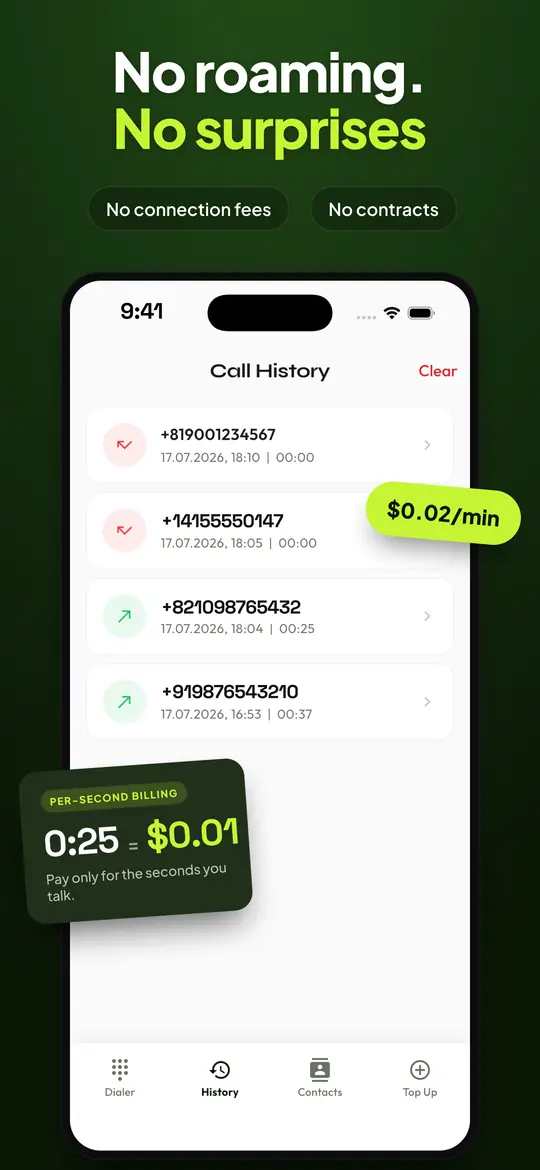
Telvio for iPhone at a glance
| Requires | iOS 15.6 |
|---|---|
| Runs on | iPhone 6s and later, plus iPod touch (7th generation) |
| Current version | 1.1.0 |
| Download size | 59 MB |
| Last updated | 2026-08-19 |
| App languages | 30 |
| Connection | Wi-Fi, 4G or 5G. A call uses roughly 30–40 kbit/s in each direction. |
| Price | Free to download. Call credit is an in-app purchase from $1.99, billed by the second. |
| Age rating | 4+ |
| The person you call needs | Nothing. The call rings their ordinary phone, landline or mobile. |
What a minute costs, cheapest first
The 41 destinations Telvio connects today, cheapest first. Every price is per minute, billed by the second with no connection fee, and the ten-minute column is simply the rate times ten — nothing here is modelled or rounded up.
| Destination | Per minute | 10 minutes |
|---|---|---|
| United Kingdom | $0.03 | $0.30 |
| Mexico | $0.05 | $0.50 |
| Peru | $0.05 | $0.50 |
| Canada | $0.07 | $0.70 |
| Malaysia | $0.07 | $0.70 |
| United States | $0.07 | $0.70 |
| Colombia | $0.11 | $1.10 |
| Brazil | $0.14 | $1.40 |
| Chile | $0.14 | $1.40 |
| Netherlands | $0.17 | $1.70 |
| Singapore | $0.17 | $1.70 |
| South Korea | $0.17 | $1.70 |
| Japan | $0.19 | $1.90 |
| Spain | $0.21 | $2.10 |
| Australia | $0.23 | $2.30 |
| Austria | $0.24 | $2.40 |
| India | $0.24 | $2.40 |
| Norway | $0.26 | $2.60 |
| Germany | $0.27 | $2.70 |
| Ireland | $0.28 | $2.80 |
| France | $0.35 | $3.50 |
| Sweden | $0.41 | $4.10 |
| Indonesia | $0.44 | $4.40 |
| New Zealand | $0.45 | $4.50 |
| Belgium | $0.52 | $5.20 |
| Thailand | $0.57 | $5.70 |
| Vietnam | $0.65 | $6.50 |
| Poland | $0.69 | $6.90 |
| Czech Republic | $0.83 | $8.30 |
| Portugal | $0.93 | $9.30 |
Your iPhone already makes calls. Here is what changes.
An iPhone places a call through the mobile network it is registered on, and the price of that call is set by the carrier that issued the SIM. Domestically that price is usually zero, because it comes out of an allowance. The moment the number you dial sits in another country, or the moment you are standing in another country, a different tariff applies — the international rate, or the roaming rate, and neither of them is the one printed on your plan.
Telvio places the call over the internet instead. Your iPhone sends audio to our network as data, the same way a browser sends a page request, and our network hands the call to the ordinary telephone system in the destination country. What the person on the other end sees is an ordinary incoming call. They do not need Telvio, they do not need an internet connection, and they can be on a landline in a house that has never had a smartphone in it.
That changes who sets the price. A minute to the United States is $0.07 and a minute to India is $0.24, regardless of which country your iPhone is standing in and regardless of which carrier issued your SIM. The rate for the number you have typed is on screen before you press call, and the full rate sheet is published on this site rather than hidden behind an account.
What the app asks for on iOS, and what happens if you refuse
The microphone is required. iOS asks for it the first time you press call, because a telephone call without a microphone is silent in one direction. Refusing it leaves the app installed and the dial pad working, but no call will carry your voice. If you refuse by accident, iOS keeps that decision until you change it in Settings — the app cannot ask a second time.
Contacts are optional. Granting access lets you call someone by name instead of by number. Refusing costs you nothing structural: the dial pad still works, and Telvio keeps its own list of names and numbers on the device. Nothing from your address book is uploaded, because there is no account for it to be uploaded to.
Notifications are optional and are used for balance and call-status messages, not for marketing.
There is no account. No email address, no password, no phone number to verify, no social login. This is unusual enough that people assume it is a step that appears later; it does not. It also means there is no account for anyone to breach and no profile attached to your name. What the app does hold, and for how long, is set out in the privacy policy.
Telvio never asks for your location, your photos, your calendar or health data, and it never asks for permission to track you across other apps — it shows no ads, so there would be nothing to track you for. What it does hold is set out in full in the privacy policy: an anonymous installation identifier that carries your credit balance, and crash reporting and analytics that are not linked to your identity.
iOS 15.6 is the floor, and it is deliberately a low one
Telvio requires iOS 15.6 or later. In hardware terms that is the iPhone 6s, released in 2015, and everything after it — a device list Apple publishes and keeps published, which is why it is worth quoting rather than paraphrasing.
Holding the floor that low is a decision rather than an oversight. The people who most need a cheap way to call abroad are disproportionately not on this year's phone: students, people who have recently moved countries, people sending money home on a schedule. Requiring iOS 18 would have made the build simpler and would have excluded a large part of the audience the app exists for.
The download is 59 MB. On a phone that is short of storage that is a real number, so it is worth saying what it buys: a dialler, a call engine, a contacts store and thirty interface languages. There is no media library, no background service and no analytics bundle inflating it.
On an iPhone the connection matters more than the phone
A voice call uses roughly 30 to 40 kilobits per second in each direction. That is a trivial amount of bandwidth — a single photo message moves more data than a ten-minute call — which is why a call can sound perfect on a connection too slow to load a web page.
What a call is sensitive to is not bandwidth but consistency. Audio arrives as a continuous stream of small packets, and a packet that arrives late is as useless as one that never arrives at all. A connection that loses packets in bursts produces the effect people describe as the call breaking up: whole syllables disappear while the call stays connected. A connection that is merely slow, but steady, sounds fine.
In practice that means a busy café Wi-Fi network is often worse than 4G, and a hotel network shared by three hundred guests is usually worse than both. If a call sounds broken, switching from Wi-Fi to mobile data — or the other way — fixes it more often than anything else you can do from the phone.
The other half of call quality is on your side of the microphone. A Bluetooth headset that has dropped into hands-free mode degrades audio in both directions and gives no warning that it has. Our microphone test runs in the browser, takes ten seconds and separates a genuine network problem from a headset one before you spend a minute finding out on a real call.
What to type on the keypad
Telvio expects a number in full international form: the country code, then the national number with the destination's trunk prefix removed. The trunk prefix is the leading digit — almost always a zero — that a country requires for domestic long-distance dialling and forbids on an incoming international call. A London number written locally as 020 7946 0018 is dialled internationally as +44 20 7946 0018, with the zero gone.
This one rule accounts for most failed international calls, and it is worth internalising because it is the same rule on every network, not a Telvio quirk. It comes from the ITU numbering plan, which every country's regulator implements.
The convenient case on an iPhone is a number you already have on screen. A number copied from Safari, from a message or from an email pastes straight into the dial pad, spaces, brackets and all — Telvio strips the formatting itself. If you are unsure whether a number is a mobile or a landline, and therefore which rate applies, our number validator tells you from the prefix, and the dialling guides cover the format country by country.

What it costs, and when you actually pay
The app is free and every new install arrives with one minute of credit already on the balance. That minute exists so you can test the corridor you actually care about: call quality is per destination, and one minute to the number you will really be calling tells you more than any review of the app.
After that, credit is bought as a one-off in-app purchase — three sizes, the smallest at $1.99 — and spent at the per-country rate. Billing is by the second from the moment the far end answers, with no connection fee, so a 25-second call costs 25 seconds. Services that bill in 60-second blocks charge that same call as a full minute, and charge a 61-second call as two.
Credit does not expire. That is worth stating plainly because it is not the norm: Skype credit went dormant after 180 days of inactivity and Viber Out credit expires on a similar clock. Money you put on a Telvio balance in March is still there in December.
Purchases go through Apple. No card number, and no billing address, ever reaches us — which is also why a refund is requested from Apple rather than from us, through the same process as any other App Store purchase. The pricing page shows what each pack buys in minutes for the corridors people ask about most.
Bottom line
Telvio for iPhone is a free app that dials ordinary landline and mobile numbers over Wi-Fi or mobile data rather than over your carrier's network. It requires iOS 15.6 or later, which covers every iPhone from the 6s onward, and downloads in 59 MB.
It exists for one situation: the number you want to reach is in another country, or you are, and the price your carrier charges for that call is set by a tariff you did not choose. Telvio prices the call by destination instead — $0.07 a minute to the United States, $0.24 to India, from $0.03 at the cheapest — shows you that number before the call connects, and bills by the second afterwards.
There is no account, no subscription and no expiry on credit. The person you call needs nothing at all: no app, no smartphone, no internet. Their phone simply rings.
From the App Store to a connected call
Three steps, and the free minute means you can test the corridor you care about before spending anything.
- 1
Install and open
Telvio is a 59 MB download from the App Store. There is no onboarding to click through: the dial pad is the first screen, and the free minute is already on the balance.
- 2
Type the number in full international form
Start with the country code and drop the destination's trunk prefix — the leading zero that belongs to domestic dialling only. Keeping it is the single most common reason an international call fails.
- 3
Press call and grant the microphone
iOS asks for the microphone the first time you dial, because a call without it would be silent in one direction. The rate for the number is on screen before the call connects.
Sources
- iOS 15 and iPadOS 15 are compatible with these devices opens in a new tab — Apple. The device list behind the "iPhone 6s and later" line in the table above.
- International Calls — Telvio on the App Store opens in a new tab — Apple. Version, download size, minimum iOS, language count and age rating.
- About In-App Purchases opens in a new tab — Apple. How call credit is bought and refunded. Payment is handled entirely by Apple; no card details reach us.
- Recommendation E.164: the international public telecommunication numbering plan opens in a new tab — ITU. The numbering rules behind country codes, trunk prefixes and the number format the app expects.
Apple's device compatibility and platform behaviour are quoted from Apple's own support documentation rather than from a summary of it. Our rates come from the rate sheet this site publishes in full, and the App Store figures were last verified on 20 August 2026.
iPhone questions
Does Telvio work on an iPhone without a SIM card?
Yes. Telvio places calls over Wi-Fi or mobile data, not over the mobile voice network, so an iPhone with no SIM in it can still dial any landline or mobile number as long as it is on Wi-Fi. This is the usual situation for a phone kept as a spare, a phone whose plan has lapsed, or a phone being used abroad with the SIM removed to avoid roaming.
Which iPhones can run Telvio?
Telvio requires iOS 15.6 or later. Apple's compatibility list for iOS 15 covers the iPhone 6s and every model released after it, plus the seventh-generation iPod touch. If your iPhone is running iOS 15.6 or newer, it can run Telvio.
Does the person I call need the app?
No. Telvio calls the ordinary telephone network, so the call arrives as a normal incoming call on a normal phone. The person answering does not need Telvio, a smartphone, or an internet connection — a landline in a house with no computer in it works exactly the same.
Will Telvio calls show up in my iPhone's Recents list?
Calls placed through Telvio are listed in Telvio's own history, with the cost of each call, rather than in the built-in Phone app's Recents. That history is stored on the device.
Do I need to give Telvio access to my contacts?
No. Contacts access is optional and only exists so you can call someone by name. Refuse it and the dial pad works exactly as before; Telvio also keeps its own names and numbers on the device. The microphone is the one permission a call genuinely cannot work without.
How much data does a Telvio call use on mobile?
Roughly 30 to 40 kilobits per second in each direction, which works out at a few megabytes for a long call. That is less than a single photo sent over a messaging app. The connection's steadiness matters far more than its speed — a slow but consistent link sounds better than a fast one that loses packets in bursts.
Is there a subscription?
No. Call credit is bought as one-off in-app purchases starting at $1.99, spent at the per-country rate, and it does not expire. There is no monthly fee and nothing renews.
Your first minute is already on the balance
Install, dial the number you actually care about, and hear the line before you spend anything.
Reading on a laptop? The Mac app dials the same numbers. Mac
